
Technical SEO is the behind-the-scenes work that helps search engines find, understand, and display your website in search results. Without it, even the best content can stay invisible online. This guide breaks down what technical SEO means for US businesses and how to keep your site running smoothly for both users and search engine crawlers.
Technical SEO refers to optimizations made on the backend of a website. This includes code, server settings, and site structure that support how search engines crawl, render, and index your pages.
Think of it as the plumbing and wiring of a building. Users do not see it, but everything depends on it working correctly. When technical SEO is done well, Google can easily discover your pages, understand what they contain, and decide where to show them in search results.
Technical SEO is different from on-page SEO, which focuses on content and keywords. It is also separate from off page SEO, which builds authority through backlinks from other sites. However, all three work together. A technically sound site supports your content and helps links from other sites pass their value effectively.
Here is a concrete example. An online retailer in the US might have hundreds of product pages. If the robots txt file accidentally blocks those pages, Google cannot access them. The products never appear in search engine results pages, and the business loses sales it never knew it was missing.
This article focuses on practices and standards commonly used in SEO services in the USA, based on current Google guidance. The goal is to provide a reference resource that explains technical aspects clearly and practically.
Many agencies and consultants handle this kind of work for businesses. Firms like Outsourcing Technologies conduct technical audits and identify issues affecting website performance. Whether you work with specialists or manage SEO in-house, understanding the basics helps you make better decisions.
Technical SEO determines whether your pages can appear in Google Search at all. Before any ranking happens, Google must first find your pages, process them, and add them to its index.
If search engines cannot crawl or index a page, that page cannot rank. It does not matter how helpful the content is or how many backlinks point to it. The page simply does not exist in Google’s index.
Mobile friendliness and page speed are confirmed ranking signals in Google’s systems. Google uses mobile-first indexing, meaning it primarily looks at the mobile version of your site. If pages load slowly on phones or have layout problems, rankings can drop.
Consider a service business in Texas with a lead generation form. If mobile pages load slowly, potential customers abandon the form before submitting. The company loses leads directly because of technical problems.
The cause-and-effect chain is straightforward. Poor technical SEO leads to crawl errors, slow pages, and security warnings. These issues lead to lower visibility in search results and fewer conversions. Fixing the root causes often produces measurable improvements in web traffic.
For most US businesses, technical SEO is ongoing maintenance rather than a one-time project. Sites change, new pages get added, and platforms update. Regular monitoring catches problems before they cause lasting damage.
Google processes pages in stages. First it crawls, then it renders, then it indexes, and finally it ranks pages for relevant search queries. Each stage can fail for different technical reasons.
Technical SEO focuses mainly on the first three stages. If crawling, rendering, or indexing fails, the page never reaches the ranking stage. Understanding this pipeline helps you diagnose why pages might be missing from search results.
Here is a simple example. You publish a new article on your business blog. Google discovers the page through internal links pointing to it from your homepage or sitemap. Googlebot fetches the HTML, renders any JavaScript, evaluates the content, and decides whether to add it to Google’s index. If all goes well, the page becomes eligible to appear in search engine results.

Crawling is the process where Googlebot follows links and reads XML sitemaps to find pages on your site. The bot moves from page to page, discovering new content and checking for updates.
A clear, logical internal link structure makes crawling easier and faster. When important pages are linked from the homepage or main navigation, Googlebot finds them quickly. When pages are buried deep or only accessible through search forms, they may never get crawled.
Wasted crawl budget can be an issue on large US sites. If a site has thousands of URLs, filters, and parameters, Googlebot may spend time on unimportant pages while missing important pages. This is why controlling what gets crawled matters.
Common crawl blockers include pages blocked by robots.txt, pages only reachable via JavaScript that does not execute properly, pages hidden behind login forms, and pages with no internal links at all. A concrete example: if your product category pages only appear after a user selects filters, and those filters run on JavaScript that Googlebot cannot process, Google may never find those pages.
Fixing crawlability issues is usually the first step in a technical SEO audit. You need to make sure search engines find your content before worrying about anything else.
Indexing is when Google stores and organizes a page so it can appear in search results. A page that gets crawled is not automatically indexed. Several factors determine whether Google adds it to Google’s index.
A page can be crawlable but still not indexed. This happens when the page has a noindex meta tag, when Google sees it as duplicate content, or when quality filters flag it as thin or unhelpful. Pages excluded from the index cannot rank for any search queries.
You can check basic index coverage using a simple “site:example.com” search to see what Google has indexed. For more detail, Google Search Console provides indexing reports that show which pages are indexed, which are excluded, and why.
Here is a real-world style example. A US blog has category pages and individual articles. The site owner discovers that category pages are indexed, but many individual articles are excluded. Investigation reveals the articles were accidentally tagged with noindex during a theme update. Removing those tags and requesting reindexing solves the problem.
Businesses should actively tell Google which pages are important. Use XML sitemaps to list priority URLs. Use noindex tags on pages you do not want indexed, like internal search results or duplicate pages. This clarity helps search engines index what matters.
Rendering is the step where Google executes code to see the final page. Googlebot downloads HTML, CSS, and JavaScript files, then processes them to understand what users see.
Modern US websites often rely on JavaScript frameworks for interactive features. If content loads dynamically and JavaScript does not execute correctly for Googlebot, the bot sees a different page than users do. Critical content may be invisible.
For example, an ecommerce site might load product descriptions and reviews only after JavaScript runs. If Googlebot cannot execute that JavaScript properly, it sees a nearly blank page. The content that should help search engines understand the page simply does not exist from Google’s perspective.
Server-side rendering or hydration options from popular frameworks can solve many rendering issues. These approaches generate complete HTML on the server before sending it to the browser and to Googlebot.
Developers and SEOs should test pages with the URL inspection tool in Google Search Console. This tool shows the rendered HTML as Google sees it. If key content is missing in the rendered view, you have a rendering problem to fix.
Site architecture is the way pages are organized and linked together on your website. A clear structure helps both users and search engines find important content faster.
Most US business sites should keep key pages within three clicks from the homepage. This shallow hierarchy ensures that important pages get crawled frequently and receive link equity from the homepage.
Common patterns work well for different types of sites. A typical structure might flow from homepage to category pages to detailed service or product pages to supporting content like blog posts and FAQs. Navigation menus, footer links, and contextual links throughout content all contribute to this structure.
When planning site architecture, think about how a first-time visitor would find your most valuable pages. If they need to click through many layers or rely on the internal search function, those pages may be hard for Google to find too.
Internal links are links from one page on your site to another page on the same site. They guide Googlebot through your content and pass internal authority around your site.
Good internal linking connects related content in ways that make sense. Link from your homepage to core services. Link from blog posts back to relevant service pages. Link from FAQs to detailed guides that answer questions in depth.
Internal links also affect how link equity flows. When external sites link to your homepage, that authority can flow through internal links to deeper pages. Without good internal linking, deeper pages may not benefit from external links.
Common mistakes hurt this flow. Orphan pages have no internal links pointing to them, so they are hard to find. Deep pages that take many clicks to reach get crawled less frequently. Long redirect chains add latency and may lose some authority along the way.
US businesses should review navigation and footer links at least twice a year during SEO audits. Check for pages on your site that have no incoming internal links. Make sure relevant pages are connected.
An XML sitemap is a machine-readable list of important URLs for search engines. It tells Google which pages you consider worth crawling and indexing.
Sitemaps are especially helpful for large sites, new sites with few external links, and sites with many dynamic or filtered pages. They help search engines find pages that might not be discovered through links alone.
Include canonical, indexable URLs in your sitemap. Exclude pages that are blocked by robots.txt, tagged with noindex, or used only for testing. Including low-quality or blocked URLs wastes crawl resources and sends mixed signals.
Submit your sitemap in Google Search Console under the Sitemaps section. After submitting, check back to see if Google reports any errors. Regenerate and resubmit sitemaps when major sections are added or removed from your site.
Breadcrumbs are a simple navigation trail shown near the top of a page. They might look like Home > Services > Roof Repair. This trail helps users know where they are and helps Google understand site hierarchy.
Google can display breadcrumbs in search results when you implement breadcrumb structured data. This gives users context before they click.
Clean URL structure matters too. Descriptive URLs with words instead of IDs or random parameters are easier for users and search engines to understand. Compare these two URLs for a roofing service:
Clear: example.com/services/roof-repair
Confusing: example.com/p?id=123&cat=7
The first URL tells everyone what the page is about. The second tells nothing.
Many CMS platforms and plugins allow automatic breadcrumb and URL structure settings. WordPress, Shopify, and other popular platforms have built-in options or extensions that handle this without custom development.
Technical SEO uses specific files and tags to guide how search engines crawl and index pages. The main control tools are robots.txt, meta robots tags, and canonical tags.
These tools are powerful but require care. Misusing them can remove important pages from search or create duplicate content issues that hurt search rankings.
The robots txt file sits at the root of your domain, like example.com/robots.txt. It contains crawl instructions that tell search engine crawlers which parts of your site they can and cannot access.
Robots.txt can block access to entire folders or file types. However, it does not guarantee that pages stay out of the index. If other sites link to a blocked page, Google may still index the URL based on that information, even without crawling the content.
Businesses commonly block admin areas, test folders, internal search results, and staging environments. You should not block main product pages, service pages, or any content you want to appear in search results.
Accidental blocking of whole sites is a common problem during development or migration. Developers often add a disallow-all rule to prevent search engines from indexing a site under construction. If that rule stays in place after launch, Google removes pages from its index quickly.
Check your robots.txt at least after any website redesign, CMS change, or hosting move. A simple mistake here can prevent search engines from crawling your entire site.
The meta robots tag sits in the HTML head section and controls indexing on individual pages. It can also control whether Google follows links on that page.
Common values are straightforward. Index tells Google to add the page to its index. Noindex tells Google not to index it. Follow tells Google to follow links on the page. Nofollow tells Google not to follow links.
US businesses often set noindex on certain page types. Internal search results pages, duplicate print-friendly versions, thin tag archives, and thank-you pages after form submission are common examples.
Mistakenly adding noindex to important pages is a serious error. If someone adds noindex to the homepage or key service pages, those pages disappear from search results. Always verify meta tags on critical pages after site updates.
X-Robots-Tag works similarly but appears in HTTP headers rather than HTML. It is often used for PDFs, images, or other files where adding HTML meta tags is not possible.
Duplicate content means very similar or identical content accessible at more than one URL. This confuses search engines about which version to show and can dilute ranking signals across multiple versions of the same page.
The rel=”canonical” tag points search engines to the preferred version of a page. You place it in the HTML head, and it tells Google which URL should get credit for the content.
Here is a concrete example. An ecommerce site sells shoes. The same product appears at multiple filtered URLs with different sorting and color options. By setting one main product URL as the canonical, the site consolidates all ranking signals to that single page.
Canonicals are signals, not absolute commands. Google usually follows them but can choose to ignore them if the markup seems incorrect. Canonicals should point to URLs that are indexable, accessible, and represent the main version of the content.
Use canonicals to handle duplicate pages created by URL parameters, session IDs, tracking codes, or content syndication. This helps search engines index the version you want to rank.
Speed and mobile experience are major ranking and user experience factors in the US. Google uses Core Web Vitals as key performance metrics measuring what real users experience.
Most US visitors now come from mobile devices. Google reports that 60% of US searches happen on mobile. This means mobile experience often matters more than desktop for both rankings and conversions.
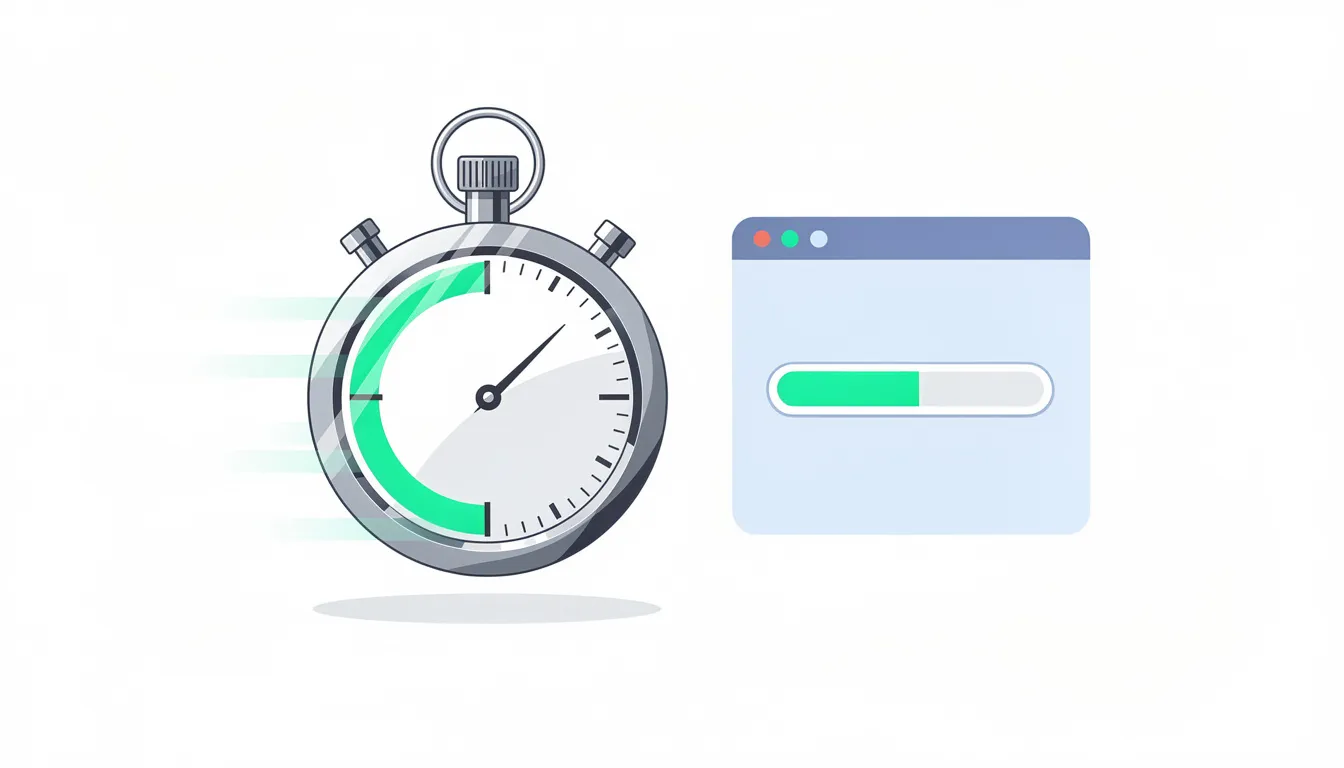
Core Web Vitals are metrics for loading speed, visual stability, and interactivity. They measure what users actually experience when visiting your pages.
The main metrics are:
Largest Contentful Paint LCP: How quickly the main content loads. Target under 2.5 seconds.
Cumulative Layout Shift CLS: How much the page layout moves during loading. Target under 0.1.
Interaction to Next Paint (INP): How quickly the page responds to user input. Target under 200 milliseconds.
Poor scores can lower search rankings and increase bounce rates. This is especially true on mobile connections where speed problems are more noticeable. Google data shows 53% of mobile users abandon sites that take more than 3 seconds to load.
Tools US businesses commonly use include Google PageSpeed Insights, Lighthouse in Chrome DevTools, and the Core Web Vitals report in Google Search Console. These tools show current scores and specific recommendations.
Common fixes do not always require deep technical knowledge. Compressing images often has the biggest impact on load times. Reducing large JavaScript files helps interactivity. Using browser caching means returning visitors load pages faster. Improving hosting with faster servers or a content delivery network reduces initial response times.
A concrete example: a US retail site had product pages loading in 6 seconds on mobile. After compressing images and enabling browser caching, load times dropped to 2.2 seconds. Bounce rates fell and conversions improved noticeably.
Google uses mobile-first indexing. This means Google primarily looks at the mobile version of pages when deciding what to index and how to rank it.
If the mobile version is missing content or has broken layout, rankings can drop even if the desktop version looks fine. Content hidden behind tabs or accordions on mobile may get less weight than visible content.
Responsive design is the most common approach in the USA. One website adapts to different screen sizes using CSS. This avoids maintaining separate mobile and desktop sites.
Check for common mobile usability issues. Small text that requires zooming. Tap targets placed too close together. Horizontal scrolling because content is too wide. Intrusive pop-ups that block content on small screens.
Test on real devices when possible. Use Google’s mobile-friendly test and the mobile usability report in Search Console. These confirm whether Google sees problems with your mobile experience.
Server response time, uptime, and geographic distribution affect how quickly users in the US see your pages. A slow server adds delay before any content starts loading.
Frequent server timeouts or 5xx errors harm both crawling and user experience. If Googlebot encounters errors when trying to crawl, it may reduce how often it visits. Users who see error pages leave and may not return.
Monitor uptime and work with your hosting provider to address slow response times or capacity issues. If your server is in Europe but most users are in the US, they experience longer load times due to distance.
A content delivery network distributes static assets like images, CSS, and JavaScript files to servers around the country. Users download files from a nearby server rather than waiting for them to travel across the country or world.
Site security matters for user safety and for SEO. Google has treated HTTPS as a ranking factor since 2014. Browsers now flag HTTP sites as “Not secure,” warning users before they interact.
US users often abandon forms or checkouts when they see security warnings. Surveys suggest 70% of users are deterred by “Not Secure” warnings. This directly reduces leads and revenue from otherwise interested visitors.
HTTPS is secure HTTP using SSL/TLS encryption. It protects data traveling between the browser and server so attackers cannot intercept login credentials, payment details, or personal information.
All pages should use HTTPS, not just checkout or login pages. Consistent HTTPS avoids mixed content issues and security warnings. Set up proper 301 redirects from HTTP to HTTPS versions so users and search engines always land on secure pages.
SSL certificates can be obtained from certificate authorities. Many US hosting providers include free SSL certificates through services like Let’s Encrypt. Installation typically takes minimal technical effort with modern hosting.
After enabling HTTPS, check for mixed content issues. These occur when some images, scripts, or other resources still load over HTTP. Browsers may block these resources or show partial security warnings. Use browser developer tools to identify and fix mixed content.
Additional technical signals support site security beyond HTTPS. Regular software updates patch vulnerabilities in CMS platforms, plugins, and themes. Secure headers like Content Security Policy help prevent cross-site scripting attacks. Spam protection on forms reduces malicious submissions.
Hacked or compromised sites can be flagged by Google with warnings in both search results and browsers. A “This site may be hacked” message devastates click-through rates and damages brand reputation.
Regular security scans catch problems early. Have clear processes for restoring clean backups if an incident occurs. Work with hosting providers that offer malware scanning and protection.
While not all security measures are direct ranking factors, they protect reputation and long-term SEO performance. A security incident can undo months of SEO progress.
Structured data is extra code that describes your content to search engines in a standardized format. It helps search engines understand entities like businesses, products, events, and FAQs.
When implemented correctly, schema markup may enable rich snippets in search results. These enhanced listings can include star ratings, prices, FAQs, and other details that make your result stand out.
Schema markup is not a guarantee of better rankings. But it can improve how listings appear and increase click-through rates. Google reports that Product schema can boost CTR by 20-30% when price and rating information displays in results.
Several schema types are relevant for US businesses:
Organization: Basic details about your company, including name, logo, and contact information.
LocalBusiness: For businesses with physical locations, includes address and hours.
Product: Describes products with price, availability, and reviews.
Service: Describes services offered by the business.
FAQPage: Marks up frequently asked questions and answers.
Article: Identifies blog posts and news articles.
BreadcrumbList: Represents the breadcrumb navigation path.
Each type tells Google specific information. FAQPage schema can cause your questions and answers to appear directly in search results, taking up more space and providing immediate value to searchers.
Schema should always match visible content on the page. If your schema says a product costs $50 but the page shows $75, you risk penalties for misleading markup. Keep schema updated when content changes.
Use Google’s Rich Results Test to check if your pages are eligible for enhanced results. The Schema Markup Validator confirms that markup follows technical specifications.
Errors or warnings can prevent rich results from showing even when markup is present. Common issues include missing required fields, incorrect nesting, and mismatched data types.
Google Search Console provides an Enhancements section that monitors structured data across your entire site. This shows which pages have valid markup and which have issues that need attention.
Update schema when page content changes. If you change business hours, add new products, or update pricing, the structured data should reflect those changes. Outdated schema can lead to misleading search results and frustrated users.
Many US businesses face similar technical SEO problems. These issues often go unnoticed until traffic drops or pages disappear from search results.
Identifying root causes is more effective than applying quick fixes. Understanding why a problem exists helps prevent search engines from encountering it again.
Regular technical SEO audits catch issues early. Combine automated crawling tools with manual reviews and Google Search Console data. Keep documentation of what you find and fix.
Symptoms of indexing problems include important pages missing from Google and fewer indexed URLs than expected in Search Console. You search for a page that should rank and find nothing.
Likely causes include accidental noindex tags, blocked resources in robots.txt, thin or duplicate content that Google filters out, and weak internal links that make pages hard to discover.
To investigate, check the specific URL in Google Search Console’s URL inspection tool. Review the rendered HTML to see if content appears. Check for meta robots tags and canonical directives. Look at the page’s internal link profile.
A simple example: a new service page is not indexed because no internal links point to it from the main navigation. The page exists but Google has not discovered it. Adding links from relevant pages solves the problem.
Broken links return 404 errors when clicked. They frustrate users who expect to find content and waste link equity that external links might be passing.
Redirect chains occur when one redirect leads to another, which leads to another. Each hop adds latency and may lose some authority. Redirect loops happen when redirects circle back, creating an infinite loop that fails to load.
Use crawling tools to identify 4xx and 5xx status codes across your site. These tools also flag long redirect chains that need simplification.
For broken links, either restore the missing content, update the link to point to an existing relevant page, or implement a 301 redirect to the closest relevant page. For example, if a popular blog post was deleted but external links still point to it, redirect that URL to a related article rather than showing a 404.
Typical causes of duplicate content on US sites include URL parameters for sorting and filtering, session IDs appended to URLs, print-friendly page versions, similar location or product pages with only minor differences, and copied manufacturer descriptions.
Duplication dilutes ranking signals. Instead of one strong page, you have multiple pages splitting authority. Google may choose the wrong version to show, or it may not rank any version well.
Strategies for handling duplication include consolidating similar content into one comprehensive page, using canonical tags to point to the preferred version, adjusting internal links to favor canonical URLs, and noindexing low-value duplicate pages that serve limited purposes.
Single-page applications and heavy client-side rendering can hide content from Google if not configured correctly. The JavaScript that creates a rich user experience may not execute properly for Googlebot.
Symptoms include Google showing partial or outdated content in search results while users see new features. The URL inspection tool reveals a nearly empty page where JavaScript files have not loaded or executed.
Coordination between developers and SEOs helps solve these problems. Server-side rendering generates complete HTML before sending it to browsers and bots. Pre-rendering creates static HTML snapshots for search engine crawlers. Hydration approaches from popular frameworks like Next.js and Nuxt provide built-in solutions.
Test key pages with the URL inspection tool regularly. Compare what Google sees with what users see. If they differ significantly, you likely have rendering problems affecting your search visibility.
When many URLs show as “Needs improvement” or “Poor” in Core Web Vitals reports, your pages are not meeting Google’s performance standards. This affects both rankings and user experience.
User-facing symptoms include slow loading where users wait several seconds for content, layout shifts where buttons move as users try to click them, and laggy inputs where forms and buttons respond slowly. These problems are most noticeable on mobile data connections.
Work with developers and hosting providers to prioritize performance fixes. Focus on templates that affect many pages. Fixing a slow page template used by 500 product pages has far more impact than optimizing a single blog post.
Technical SEO is not a one-time task. Sites change, new content gets added, and issues develop over time. Continuous monitoring catches problems before they cause lasting damage.
A typical audit cycle for US businesses includes a full audit at least once per year. Lighter checks happen quarterly or after major changes like redesigns, migrations, or new feature launches.
SEO services in the USA usually combine automated crawling tools like Screaming Frog or Sitebulb, Google Search Console data, analytics platforms, and manual reviews. Each source provides different insights that together give a complete picture of technical SEO health.
Keep written documentation of site structure, important redirects, and key technical decisions. This documentation helps new team members understand the site and ensures consistency over time.
The main tools for monitoring include:
Google Search Console: Shows index coverage, Core Web Vitals, mobile usability, and specific page issues.
Server logs: Reveal how bots actually crawl your site and which URLs they access.
Analytics platforms: Track user behavior that can signal technical problems like high bounce rates on specific pages.
Browser developer tools: Help debug rendering and performance issues in real time.
Third-party crawlers: Scan entire sites to find broken links, redirect issues, and missing tags.
Each tool has strengths. Search Console shows Google’s perspective directly. Server logs show raw bot behavior. Crawlers systematically check every URL.
Set up simple dashboards or reports that track crawl errors, index coverage, Core Web Vitals scores, and major status code trends. Regular review helps you spot problems quickly.
Not all technical issues are equal. Some directly affect revenue or lead generation. Others are minor optimizations that can wait.
A useful priority order focuses first on problems that block indexing entirely. If Google cannot index your pages, nothing else matters. Next, address problems that harm many users, like severe speed issues on mobile or security warnings. Finally, work on smaller optimizations that improve performance incrementally.
Collaboration between marketing, development, and leadership helps align fixes with business goals. A developer might see a technical issue as minor, while marketing knows that page generates significant revenue. Business context determines true priority.
Technical SEO supports content quality and link building by making pages discoverable, fast, and trustworthy. These three areas of search engine optimization SEO work together.
Think of technical SEO as the foundation and plumbing of a building. Content is the furniture and decor that makes spaces useful and appealing. Authority from links and brand mentions is the reputation that attracts visitors.
A beautiful website with great content cannot rank if Google cannot crawl or index it. Strong authority signals from backlinks work best when technical issues do not block crawling or dilute their value through redirect chains.
Technical stability also supports better user engagement metrics. Fast, reliable pages keep users on the site longer. They complete forms, browse products, and consume content. These positive signals reinforce good technical SEO in a virtuous cycle.
From a technical SEO standpoint, your job is enabling search engines to do their work efficiently. Good technical SEO removes obstacles. It makes sure that when you publish great content and earn valuable links, those efforts translate into higher search engine rankings.
Technical SEO is about giving search engines clear, fast, secure access to your site’s content. When technically sound sites work correctly, Google can crawl, render, and index pages without obstacles.
Ongoing checks for crawlability, indexability, speed, mobile usability, and site security are essential for US businesses. A technical SEO checklist should include regular reviews of Search Console data, Core Web Vitals scores, and crawl error reports.
Treat technical SEO as part of standard website maintenance. After design changes, new feature launches, or platform updates, verify that everything still works for search engines. Problems caught early are easier and cheaper to fix.
Working with experienced practitioners, whether in-house SEO specialists or external agencies, helps keep complex sites healthy over time. The investment in good technical SEO pays returns through sustained visibility, better user experience, and more opportunities to reach customers through organic search.




WhatsApp us